Follow your curiosity.
Browse Top Sounds, explore the Discover feed, or choose from categories such as Nature, White Noise, Chakras, and Sonic Escape.
 Shop

THE HIGH FREQUENCY HIGHWAY APP
Find your sound. Choose your frequency. Create a meditation for exactly what’s on your mind.
Download the appiPhone & Android · Free to download
Premium unlocks the full library and AI features.
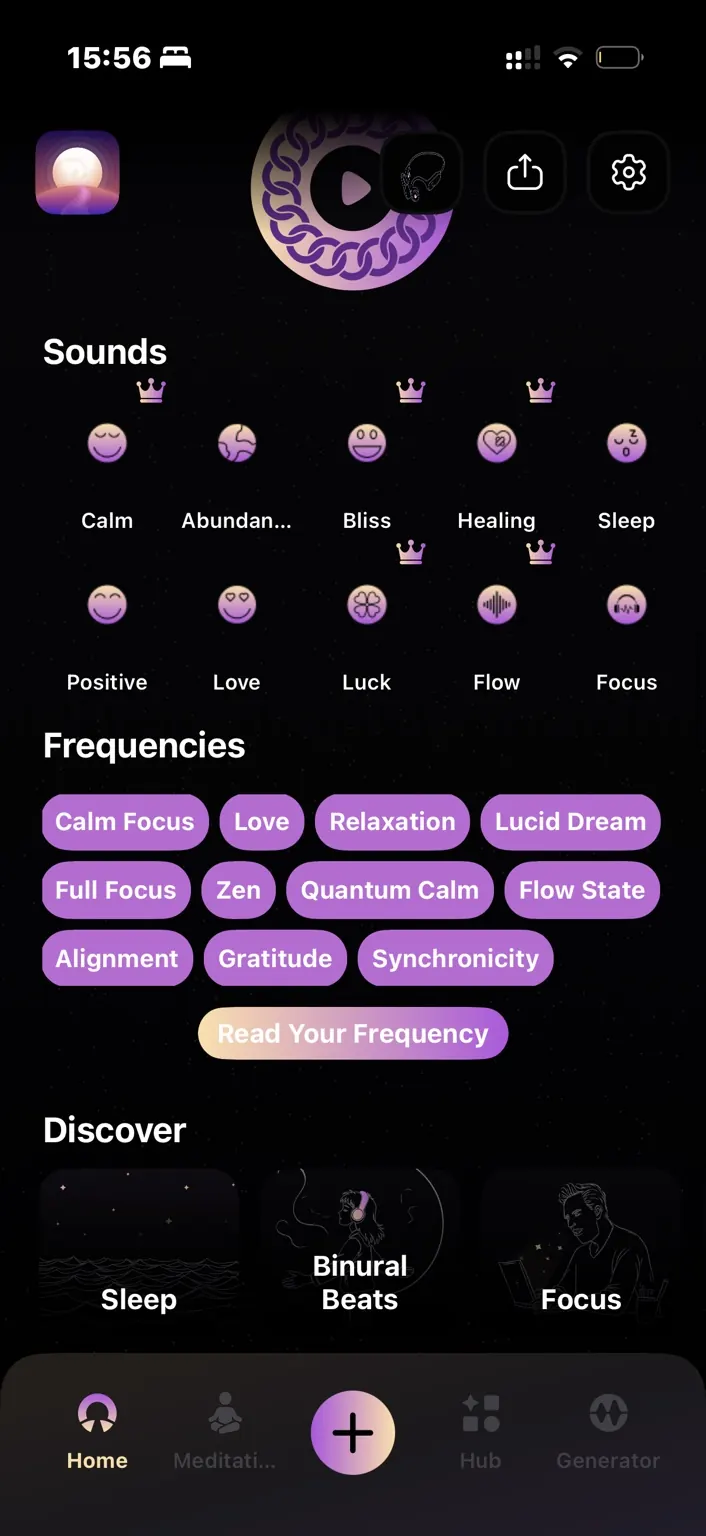
ONE APP. MORE WAYS IN.
Choose a sound, shape a frequency, or put an intention into words. There’s no single way to make the app your own.
01 / DISCOVER
Explore soundscapes, binaural beats, and sessions from real sound healers. Frequency For You recommends a starting point based on how you listen.
Browse Top Sounds, explore the Discover feed, or choose from categories such as Nature, White Noise, Chakras, and Sonic Escape.
The Hub connects you with sound healers, their sessions, and their profiles. Find voices and practices you want to return to.
02 / CONTROL
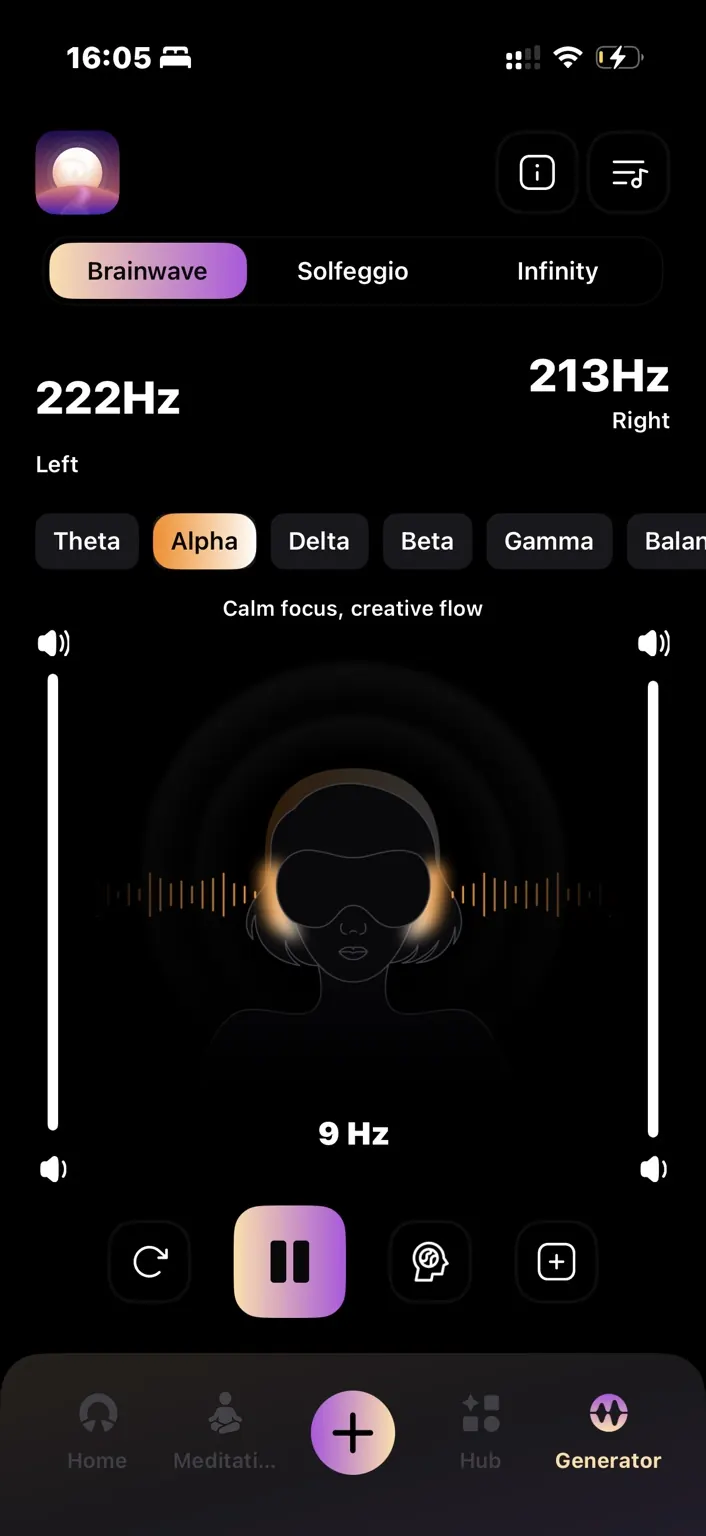
The generator creates pure tones live on your phone. Start with a preset, or use Infinity to set the left and right channels independently.
Enter values down to the decimal. Link both ears, explore editable presets, or switch on modulation to let a tone rise and fall.
A binaural beat is the difference between the two tones. Explore the visual example below; it does not play audio.
Difference:
MAKE YOUR OWN MIX
Start with a soundscape, add another layer, and adjust their volumes separately. Bring a generated frequency into the mix when you want it.
A PERSONAL MIX / ILLUSTRATION
Separate layers. Individual volume control.
03 / CREATE
Some days call for more than a playlist. Speak or type what’s on your mind, or start with a preset intention. The Meditation Generator creates a guided session around it.
“I want to slow down after a busy day.”
Example input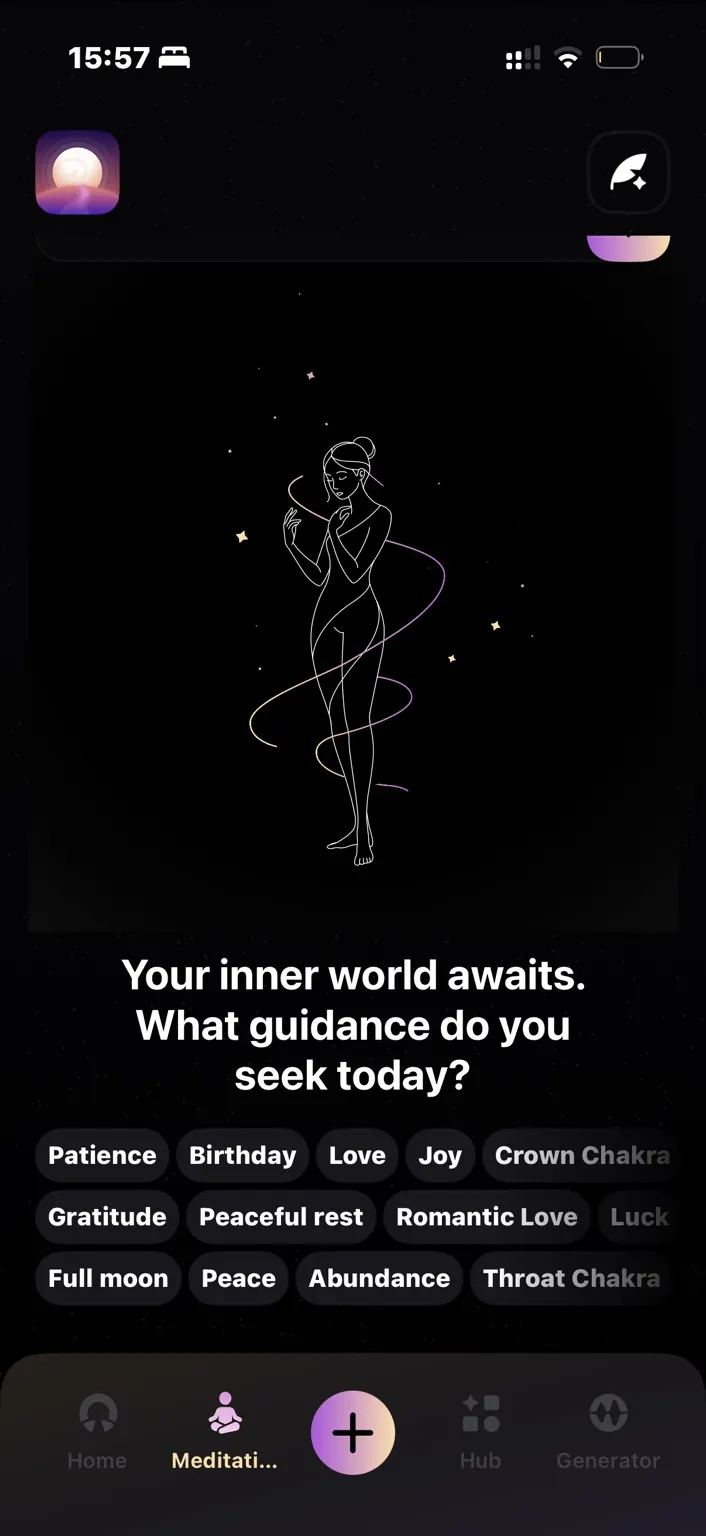
Speak an affirmation and receive a sound suggestion based on the app’s voice analysis. Use it as another way to choose where to begin.
Create and save custom meditations. Build a personal collection of sessions and words you want to revisit.
04 / DAILY PRACTICE
Schedule a nudge for a listening session or your affirmations, at a time that works for you.
Follow the guided inhale, hold, and exhale at a comfortable pace before your session.
Generate frequencies offline. Download recorded tracks in advance so your saved sounds can come along too.
TWO DIFFERENT INGREDIENTS
Music, nature, voices, and soundscapes. Stream them online or download them before listening offline.
Pure tones created on your phone. Adjust the values yourself and use the generator without Wi-Fi.
Core sounds, named presets and tools to begin exploring.
A daily frequency recommendation to start your session.
Help with this featureAbundance, Sleep, Positivity, Love and Focus.
Help with this featureNamed combinations available from the home screen. L and R identify the tones sent to each ear.
Play the full Discover sound library free across 10+ categories: Sleep, Binaural Beats, Focus, Relaxing, Chakras, Animal Sounds, Nature Sounds, White Noise, Astral Projection and more.
Help with this featureExplore the anti-stress sound feature.
Help with this featureListen to sessions shared by the sound-healing community.
Help with this featureExplore articles and research about frequencies and sound.
Help with this featureTheta, Alpha and Balance are included free. Beta and Gamma are included with Premium.
Help with this featureChoose a tone, sync both ears to the same value or adjust the channels independently. The current feature list includes:
Create and save custom sessions. See the Studio guide for the current controls and publishing options.
Help with this featureIncludes every Free feature, plus the additional options below. Check the subscription screen for current access and pricing.
Including Calm, Bliss, Luck and Healing, alongside the free Discover library.
Help with this featureAdditional brainwave generator presets.
Help with this featureType an exact Hz value to the decimal for each ear. Adjust the two channels independently or link the controls to move them together.
Help with this featureType, speak or choose an intention to create a guided meditation. Generate affirmations inspired by the session and listen to them read aloud.
Help with this featureAccess the complete RIFE preset library.
Help with this featureA closer look at the controls and everyday tools. Individual access is shown in the app.
Browse presets named for these frequency ranges. The binaural beat is the difference between the left and right tones; 200 Hz and 210 Hz give a 10 Hz difference.
These are preset categories. Selecting one does not measure your brain or guarantee that state.
Help with this featureOpen the library from the top right of Infinity. Browse named pairs, including Calm Focus, Lucid Theta, Gateway Experience entries and Rife-labeled catalogs, then adjust the values in the generator.
Help with this featureTap the brain icon to let the frequency move up and down instead of holding one steady tone.
Help with this featureLayer multiple recorded sounds, balance each layer’s volume and add a frequency underneath. Use the plus control to bring another sound into your session.
Help with this featureSpeak an affirmation and receive a sound suggestion based on the app’s voice analysis. It is a recommendation tool, not a diagnosis of your mood or health.
Help with this featureSpeak during a meditation to ask for a slower pace, a longer session or a different theme. Add a soundtrack or frequency while you listen.
Help with this featureRevisit the summary and full transcript after a meditation. Generate affirmations inspired by what you explored in the session.
Help with this featureKeep favorite sounds together and use the Downloads controls to manage saved recorded tracks.
Help with this featureSchedule notifications for a frequency session or your affirmations at a time that fits your day.
Help with this featureFollow the inhale, hold and exhale cues at a comfortable pace. Pause whenever you need.
Help with this featureDiscover sessions from sound healers, visit their profiles and follow creators. Submit your own sound for review before it is published.
Help with this featurePair through your phone’s Bluetooth settings. Assign a saved frequency to each of the headphone quick-action buttons, so you can start it without opening the app.
Help with this featureUse the in-app walkthroughs or the Help Center to learn the controls and get help with your first session.
Help with this featureThese purchases sit outside the Premium subscription.
Explore guided meditation and sleep sessions built around layered binaural beats. Find individual playlist prices in the app.
Help with this featureTHE COMPLETE TOOLKIT
Four ways to get more from the app. Choose a feature to find its Help Center guide.
01 / DISCOVER
A favorite sound. A new creator. A session you didn’t know you needed.

A sound and frequency recommendation when you want an easy starting point.
Learn more about Frequency For YouExplore familiar favorites including Calm, Sleep, Flow and Focus.
Learn more about Top SoundsFind recorded tracks for your mood, moment or listening preference.
Learn more about Sound Library and categoriesMeet sound healers and discover the sessions they share.
Learn more about The Hub and Sound Healers02 / CONTROL
Go deeper with tones, presets and layers you can adjust.
Start with a Brainwave or Solfeggio preset, or use Infinity to set a precise tone independently for each ear.
Explore the generatorSet each ear with InfinityCombine recorded sounds, layer generated frequencies beneath them, and balance the volume of each layer.
Mix your soundsAdd a frequency layerLet the tones rise and fall during your session.
Learn more about ModulationUse the Frequency Library to return to saved frequency pairs and edit a starting point.
Explore the Frequency Library03 / PERSONALIZE
Turn an intention into a practice that feels personal.

Use a spoken affirmation to receive a sound suggestion.
Learn more about Read Your FrequencyCreate a guided meditation around what is on your mind.
Learn more about Meditation GeneratorRevisit your session and carry its affirmations into your day.
Learn more about Summary, transcript and affirmationsCreate and save a personal collection of custom meditations.
Learn more about Frequency Studio04 / DAILY PRACTICE
Small tools that make it easier to return to your practice.

Choose when to make space for your next session.
Learn more about RemindersFollow comfortable inhale, hold and exhale cues.
Learn more about Breathing exerciseSave recorded tracks before you go offline.
Learn more about Offline downloadsConnect over Bluetooth and set up your headphones.
Learn more about Headphone pairingFind feature walkthroughs and setup help in the app.
Learn more about Video tutorialsTHE APP + THE HEADPHONES
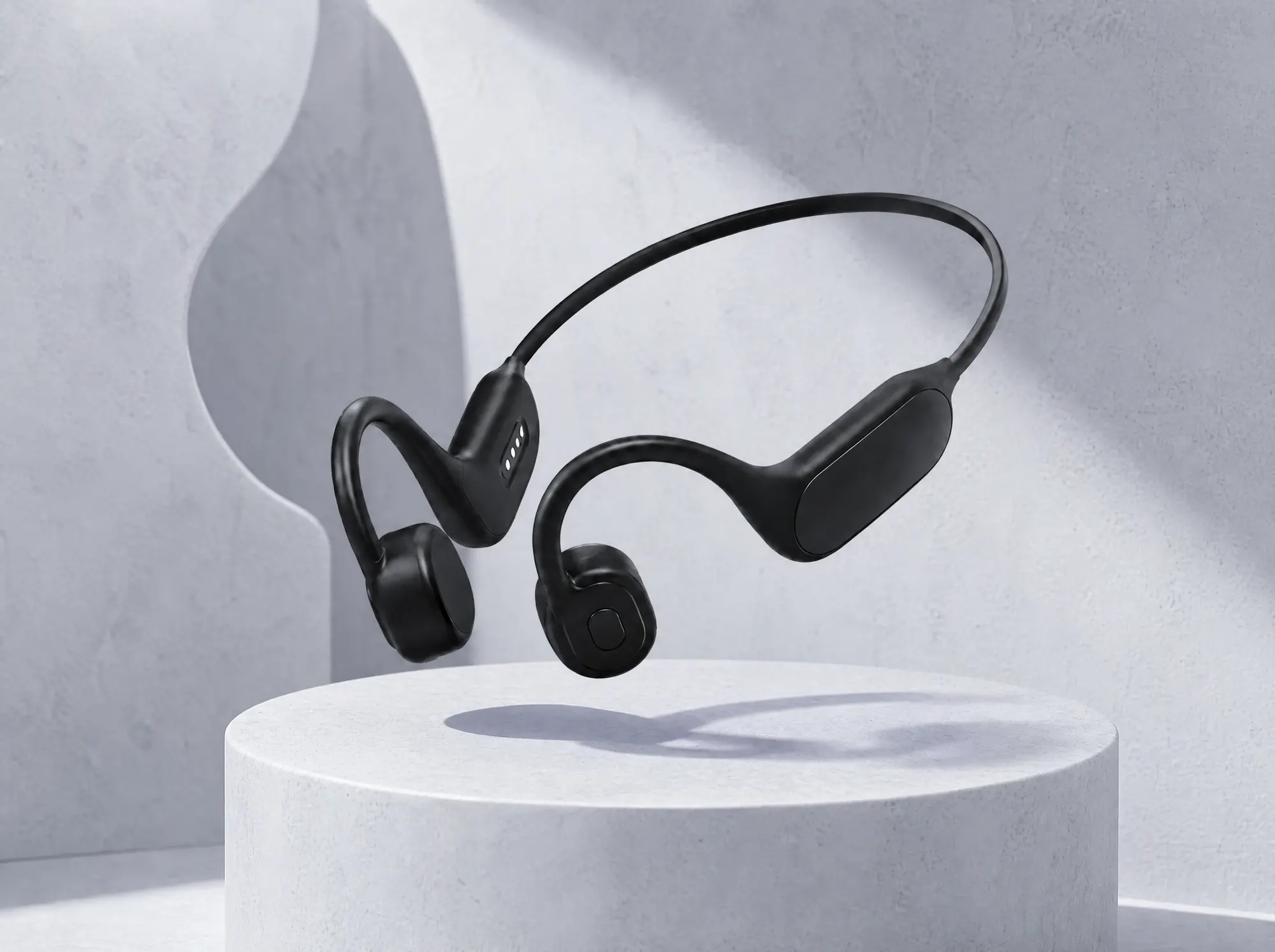
The app works with any headphones. High Frequency Headphones add a physical dimension through sound and gentle vibration. Pair them over Bluetooth, open the app, and choose a comfortable listening volume.
Pair your headphones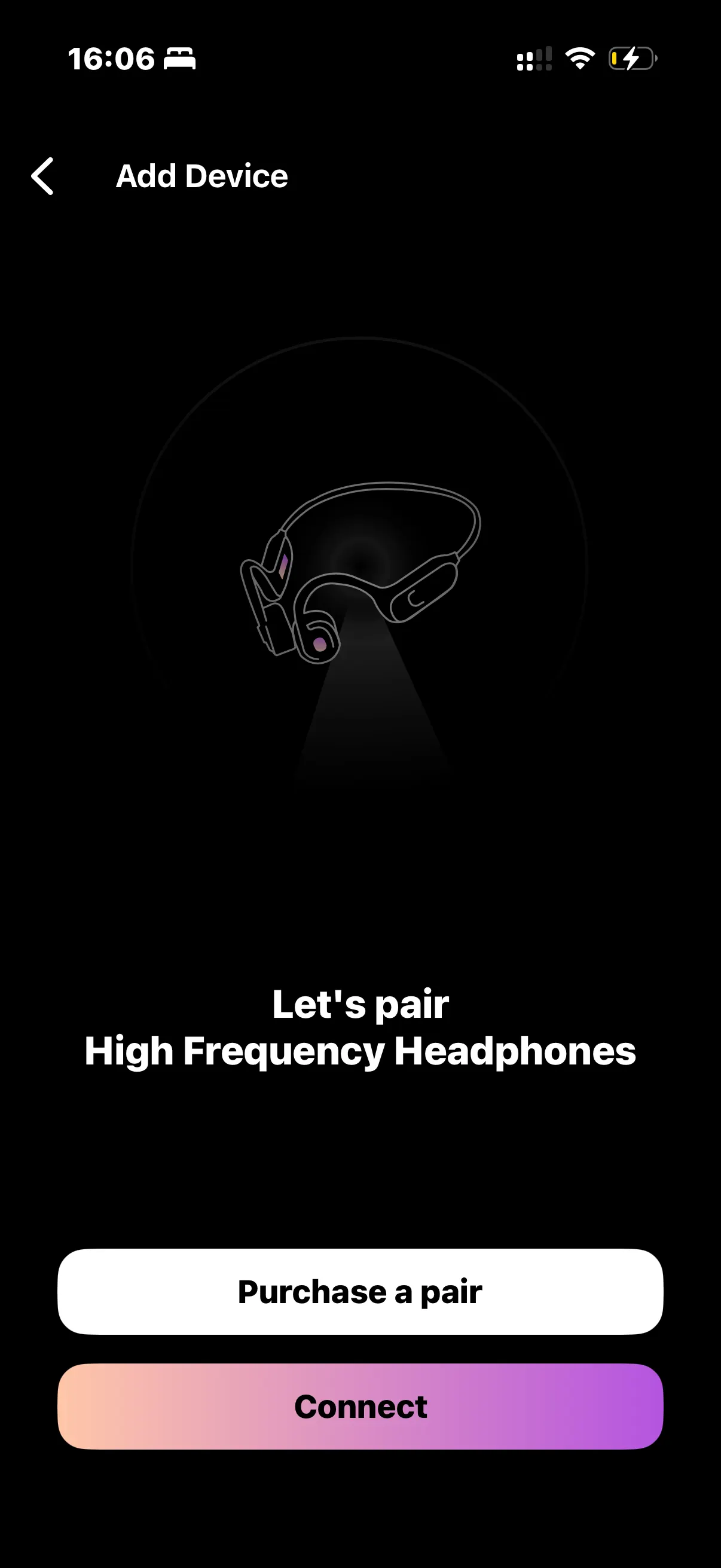
Free to download on iPhone and Android.
Premium unlocks the full library and AI features.